Your counts tell you what is on the shelf, but cost per meal is only right when the price behind every item matches the latest broadline invoice. Upload the week of Sysco, US Foods or Performance Food Group invoices and each line comes back as a row with pack, quantity, case cost, unit cost and extended price, ready for your menu costing sheet or ledger.
Reads distributor PDFs, emailed invoices, credit memos and phone photos for any kitchen, with no EDI and no per-site fee.
Compare the extracted fields and line items against your own document.
Upload your invoices
Drop files here or click to upload
3 demo documents, no account needed
Uploading...
The short answer
Food service inventory software tracks counts and usage, but cost per meal, plate cost and budget reports depend on current unit costs from supplier invoices. InvoiceExtraction reads broadline and specialty invoices, splits each line into item, pack, quantity, case cost, extended price, fees and credits, and exports Excel or CSV for the costing sheet, the inventory system or QuickBooks bills. Plans start at $49 a month, or $24 a month billed yearly, for every kitchen combined.
A pack like 4/1 gal or 40 lb is read into units per case and size, so a case price becomes a price per pound, gallon or each without a calculator.
Unit cost sits in its own column, so portion cost is unit cost times the portion size in your recipe or menu sheet.
Gloves, film and paper goods come out as their own rows, so they stay out of food cost and into the supplies budget.
Fuel surcharges, delivery fees, short shipments and credit memos are separate lines, so you see what the delivery really cost.
Every invoice is summed against its printed total. A line that does not tie is highlighted before export.
One file for the costing sheet or inventory import, or bills in QuickBooks on the Plus plan with vendor, dates and line amounts filled in.
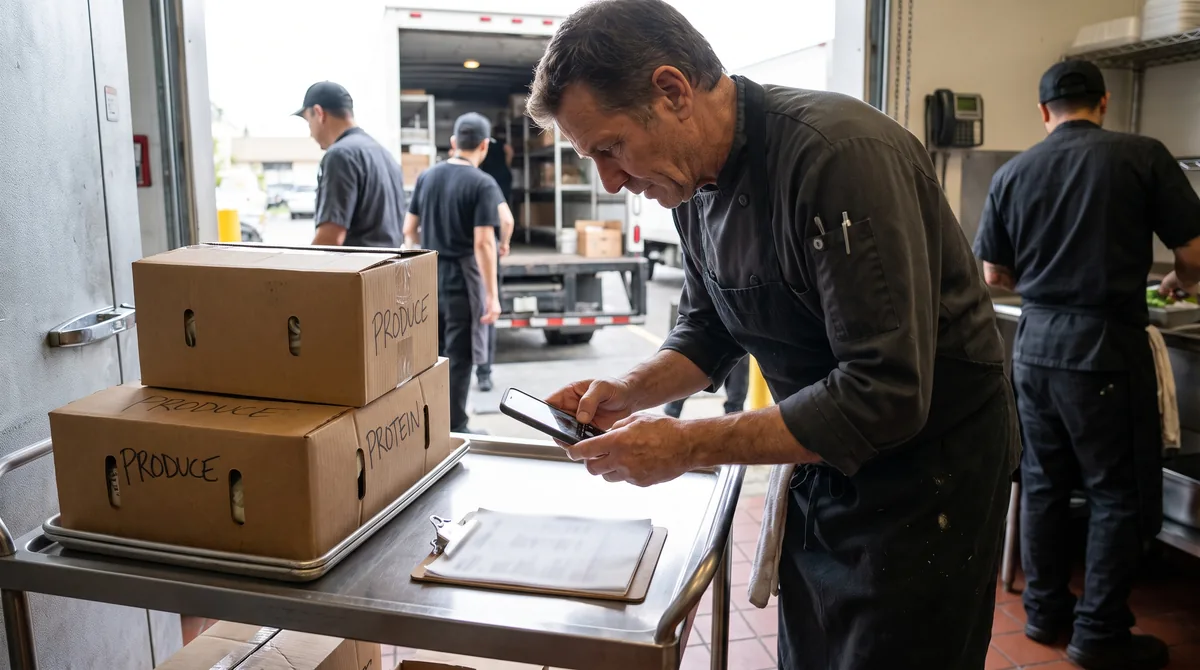
Save the emailed PDFs and photograph the paper invoices the driver hands over at receiving.
Broadline, produce, dairy and bread invoices go in one batch. Each one is read on its own, with no template per supplier.
A blurry photo or a line that does not tie to the total is highlighted so you check only what needs it.
Download XLSX or CSV, refresh the unit costs in your costing sheet and read the new cost per meal for the menu cycle.
Kitchens that serve a set number of meals on a set budget, such as a school, a care home or a contract site, cannot absorb a price rise they find out about at month end. Chicken, dairy and produce move between deliveries.
Converting each invoice the day it arrives keeps the unit cost column current, so an increase shows up in the next menu costing instead of in the monthly variance.
Convert a food service invoiceFour things per line: the item and pack, the quantity received, the case cost and the extended price. Food cost, usage and variance all start there. Inventory software that counts stock but does not read invoices leaves someone typing those four fields for every delivery, which is where costs go stale first.
Reading the invoice puts them in columns, checked against the invoice total, so updating cost becomes a file import and not an hour at a keyboard.
A weekly order for a small kitchen mixes proteins, dry goods, dairy, a supplies line and a fuel surcharge. The rows below show how they come out, with unit cost from the case cost and a plate cost from the portion in the recipe. The invoice total is $473.15, of which $401.65 is food and $62.50 is supplies.
| Line on the invoice | Pack | Qty | Case cost | Extended | Unit cost | Portion | Cost per portion |
|---|---|---|---|---|---|---|---|
| Chicken breast, boneless skinless | 40 lb | 2 | $98.60 | $197.20 | $2.465 per lb | 6 oz raw | $0.92 |
| Long grain rice | 25 lb | 3 | $21.75 | $65.25 | $0.87 per lb | 3 oz dry | $0.16 |
| Mixed vegetables, frozen | 30 lb | 2 | $32.40 | $64.80 | $1.08 per lb | 4 oz | $0.27 |
| Whole milk | 4/1 gal | 5 | $14.88 | $74.40 | $3.72 per gal | 8 oz | $0.23 |
| Disposable gloves | 10/100 ct | 1 | $62.50 | $62.50 | Supplies | not food | excluded |
| Fuel surcharge | 1 | 1 | $9.00 | $9.00 | Fee | not food | excluded |
One plate of chicken, rice, vegetables and a glass of milk costs $0.92 + $0.16 + $0.27 + $0.23 = $1.58 in food. Gloves and the surcharge are not part of it, so they go to supplies and delivery. Next week, when the chicken case moves from $98.60 to $104.40, the unit cost goes from $2.465 to $2.61 per pound and the chicken portion from $0.92 to $0.98, so the plate rises to $1.64 before the month closes.
The same logic runs the other way for the recipe costing page that works a bakery batch, and for kitchens that pay by the plate the catering food cost page carries it to a full event.
Both, for different jobs. Inventory software handles counts, par levels and ordering. Invoice reading fills the cost side, which many systems still expect you to key in, at $49 a month for all kitchens combined. If your inventory system works, keep it and feed it better costs. For the wider field of options and what each one costs, see the best restaurant inventory software comparison.
The Sysco invoice converter, the US Foods invoice to Excel page and the Performance Foodservice converter export into the same columns as this page, so the main order, the produce order and the dairy drop land in one sheet.
Receiving records also matter for safety. The FDA Food Traceability Rule asks operations that receive foods on its list to keep key data with a reference document such as the invoice, so a searchable file of every line is useful beyond cost.
Kitchen managers, dietary managers and food service directors at schools, senior living, hospitals, contract caterers and commissary kitchens, plus the bookkeepers who close their month.
You pay for pages processed, not per invoice, supplier or kitchen. Starter is $49 a month ($24 a month billed yearly) for up to 500 pages on the most accurate model or 2,500 on the faster one. Plus is $149 a month ($74 billed yearly) and adds bulk upload of 50 files at a time, custom extraction templates, category normalization, QuickBooks export and three seats. See pricing for every plan, or the QuickBooks AP automation page for the bill workflow.
It depends on what you need to count and order. Most inventory systems still expect unit costs typed from invoices. InvoiceExtraction fills that gap by turning supplier invoices into rows with pack, quantity and unit cost, at $49 a month for all kitchens, next to the system you already use.
Upload the invoice PDFs or photos and export XLSX or CSV. Each line has item, pack, quantity, case cost and extended price, so you can match items to your inventory list and import the new costs instead of keying them.
Yes. Each line is its own row, so gloves, film and paper goods can be filtered out of food cost in the sheet and sent to a supplies account in your books.
They come out as their own rows, with credits as negative amounts, so the delivery total ties to the invoice and you can see the real cost of each delivery.
Plans start at $49 a month, or $24 a month billed yearly, for up to 500 pages on the most accurate model. Pricing is by pages across all suppliers and kitchens, with no per-site fee.
No. Your invoices are processed only to create your export and are never shared with other customers or with the suppliers whose documents you upload.
Convert Sysco invoices to Excel line by line: item code, pack size, quantity, unit price and extended price from Sysco, US Foods and GFS PDFs, ready for food cost.
Convert US Foods invoices to Excel or CSV line by line. Product number, pack size, quantity, price and credits from MOXe PDFs and delivery copies, for food cost.
Convert Performance Foodservice invoices to Excel or CSV line by line. PFG item number, pack size, quantity, price and credits from Performance Pay PDFs and photos.
Recipe costing software only works with current ingredient prices. Read supplier invoices into Excel, CSV or QuickBooks and feed every recipe cost from what you paid.
Catering food cost software that reads supplier invoices into Excel or QuickBooks, one row per item, so you can cost each event from the prices you actually paid.
Restaurant invoice scanner that turns Sysco, US Foods and every supplier invoice into Excel, CSV or QuickBooks lines with item, pack, weight and price.
How AP automation works with QuickBooks Online and Desktop: how bills enter the file, how vendors are matched, how expense coding and class tracking are applied, and where QuickBooks stops being enough.
Bulk invoice processing for high volumes: uploading hundreds of documents at once, queue behavior, parallelism, partial failure handling, splitting multi-invoice PDFs and surviving month-end spikes.
Upload a few of your least tidy supplier invoices and compare the extracted fields against the documents. That tells you more than any feature list.
